rasch_5scale
Untitled
GitHub Documents
This is an R Markdown format used for publishing markdown documents to GitHub. When you click the Knit button all R code chunks are run and a markdown file (.md) suitable for publishing to GitHub is generated.
Including Code
You can include R code in the document as follows:
hls21 <- read.csv("pre.csv", header = T)
hls21 <- hls21[2:45]
str(hls21)
## 'data.frame':    748 obs. of  44 variables:
##  $ 癤풹chieve_1: int  0 0 0 2 1 1 3 3 1 3 ...
##  $ achieve_2   : int  2 3 2 2 2 1 2 1 0 2 ...
##  $ achieve_3   : int  1 2 4 2 0 3 4 0 2 1 ...
##  $ achieve_4   : int  0 2 1 0 0 1 2 0 2 1 ...
##  $ achieve_5   : int  0 0 1 1 0 1 3 0 1 2 ...
##  $ achieve_6   : int  3 2 1 2 2 1 2 0 2 1 ...
##  $ self_1      : int  0 0 2 2 1 0 0 0 2 2 ...
##  $ self_2      : int  2 4 0 0 2 1 0 0 4 1 ...
##  $ self_3      : int  3 0 0 0 0 1 0 0 2 1 ...
##  $ self_4      : int  2 4 3 0 2 2 4 0 2 1 ...
##  $ self_5      : int  3 4 1 0 2 3 2 4 3 1 ...
##  $ self_6      : int  2 3 0 2 0 0 0 0 1 0 ...
##  $ self_7      : int  1 0 1 0 1 0 1 1 1 1 ...
##  $ self_8      : int  0 0 3 0 2 3 1 1 3 2 ...
##  $ curio_1     : int  0 0 1 0 0 0 0 0 4 0 ...
##  $ curio_2     : int  0 0 1 0 0 1 0 0 0 0 ...
##  $ curio_3     : int  1 0 3 0 0 2 0 4 4 0 ...
##  $ curio_4     : int  1 0 1 0 0 0 0 4 0 1 ...
##  $ curio_5     : int  1 0 0 4 1 1 0 1 0 1 ...
##  $ curio_6     : int  0 0 0 4 2 2 0 0 0 1 ...
##  $ curio_7     : int  1 0 0 0 0 0 0 0 0 1 ...
##  $ curio_8     : int  2 0 1 2 1 3 0 4 0 4 ...
##  $ curio_9     : int  1 0 0 2 0 0 0 0 0 1 ...
##  $ curio_10    : int  0 0 0 4 2 0 0 4 0 0 ...
##  $ curio_11    : int  0 0 0 0 0 0 0 0 0 1 ...
##  $ info_1      : int  0 0 0 0 0 0 0 0 0 0 ...
##  $ info_2      : int  0 0 1 0 1 0 0 1 0 0 ...
##  $ info_3      : int  0 0 1 0 0 0 0 0 0 1 ...
##  $ info_4      : int  0 0 0 0 0 0 2 0 1 2 ...
##  $ info_5      : int  0 0 0 0 0 0 0 1 0 0 ...
##  $ info_6      : int  2 0 1 0 2 0 2 0 0 3 ...
##  $ inter_d_1   : int  1 0 2 4 4 4 2 4 2 2 ...
##  $ inter_d_2   : int  1 4 0 2 4 3 2 4 2 1 ...
##  $ inter_d_3   : int  2 4 1 2 4 3 2 4 2 2 ...
##  $ inter_d_4   : int  1 0 2 1 4 1 4 4 2 0 ...
##  $ inter_d_5   : int  1 4 2 2 0 1 2 0 2 0 ...
##  $ inter_d_6   : int  0 0 4 2 0 3 2 0 2 2 ...
##  $ inter_d_7   : int  0 0 3 0 0 1 0 1 2 1 ...
##  $ inter_d_8   : int  0 0 0 3 0 2 0 0 2 1 ...
##  $ deci_1      : int  3 4 1 1 4 1 4 4 2 3 ...
##  $ deci_2      : int  3 0 2 2 4 4 2 0 2 3 ...
##  $ deci_3      : int  2 4 4 2 4 4 4 3 2 3 ...
##  $ deci_4      : int  2 2 0 2 2 2 4 4 2 4 ...
##  $ deci_5      : int  2 2 4 4 3 2 4 3 2 4 ...
fitting
You can include R code in the document as follows:
Including Plots
You can also embed plots, for example:
## Iteration in WLE/MLE estimation  1   | Maximal change  0.5657
## Iteration in WLE/MLE estimation  2   | Maximal change  0.0933
## Iteration in WLE/MLE estimation  3   | Maximal change  0.0033
## Iteration in WLE/MLE estimation  4   | Maximal change  0
## ----
##  WLE Reliability= 0.923
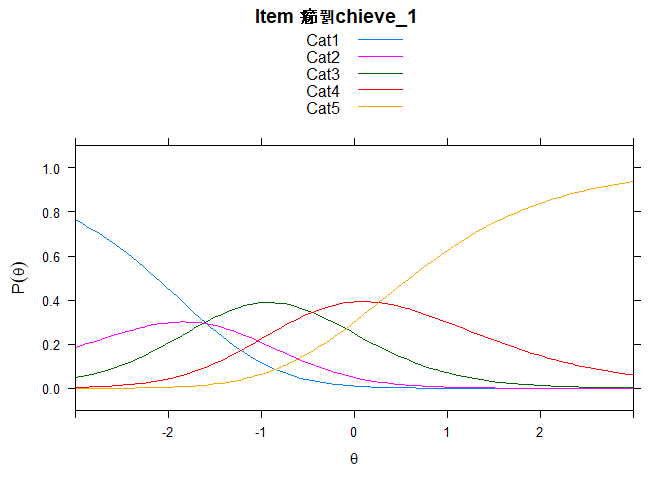
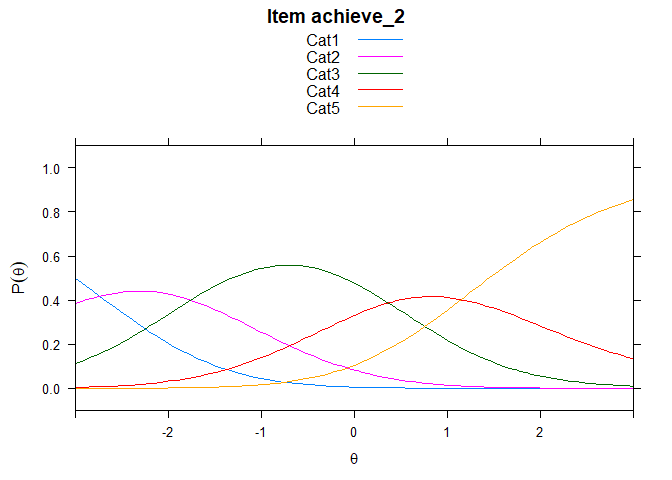
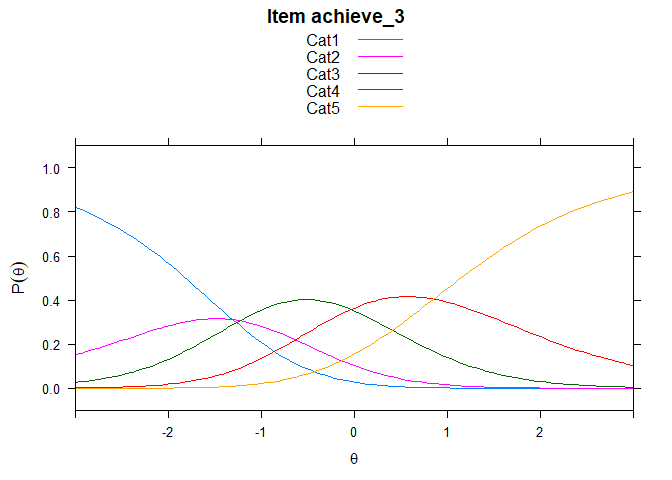
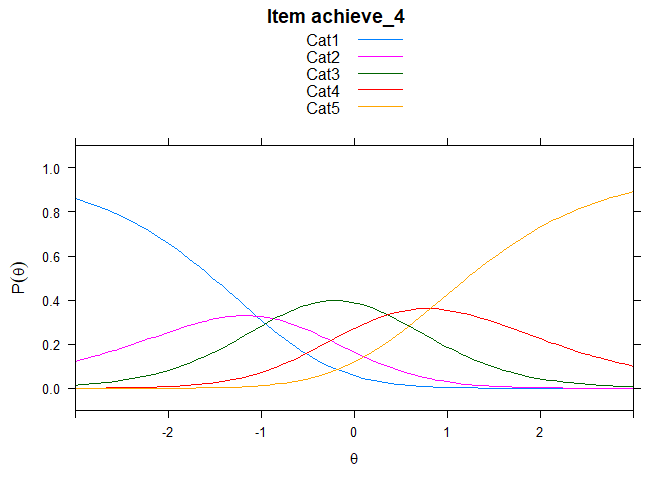
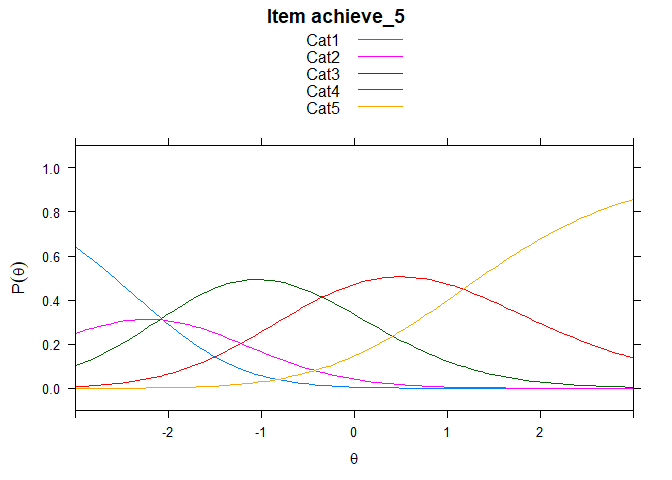
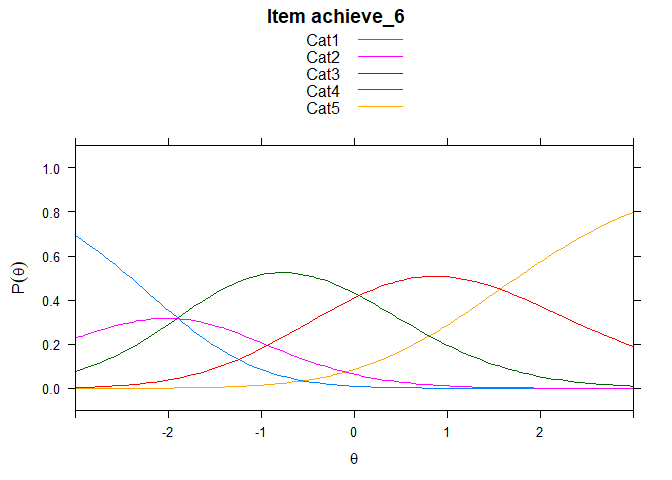
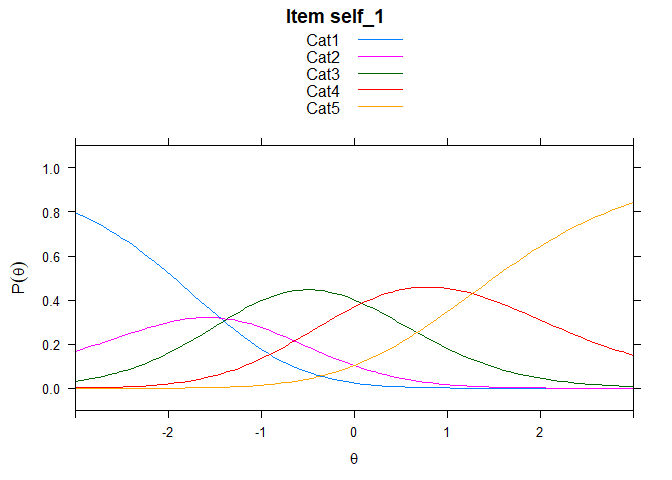
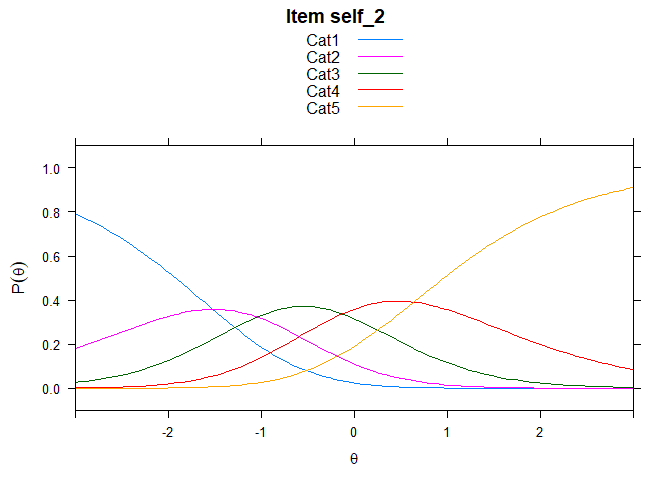
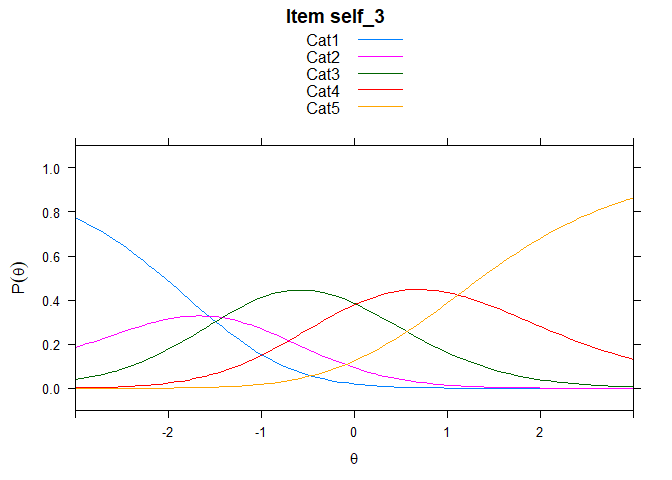
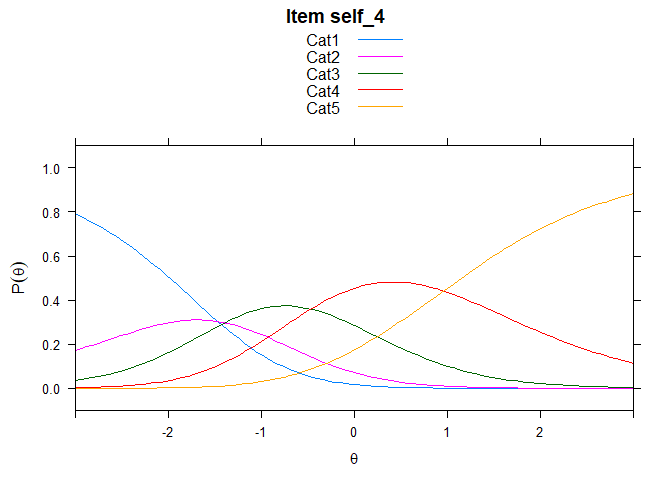
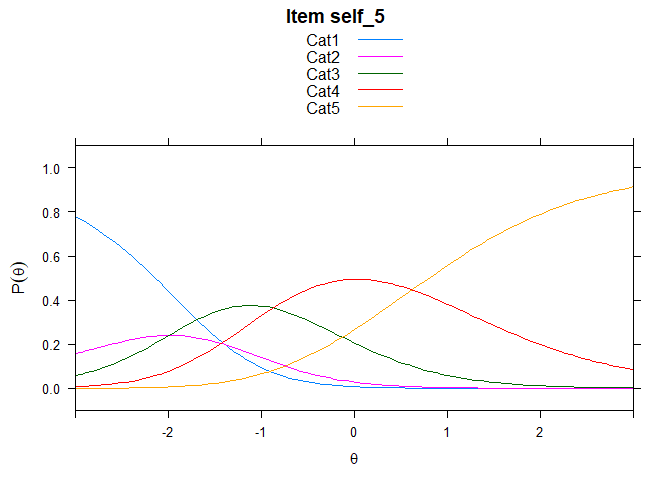
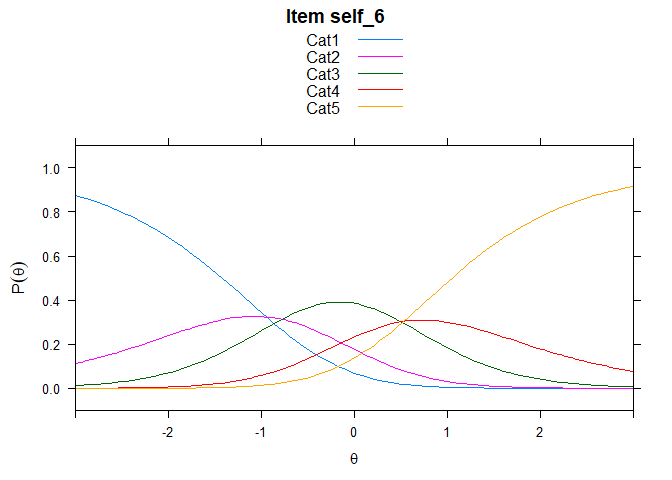
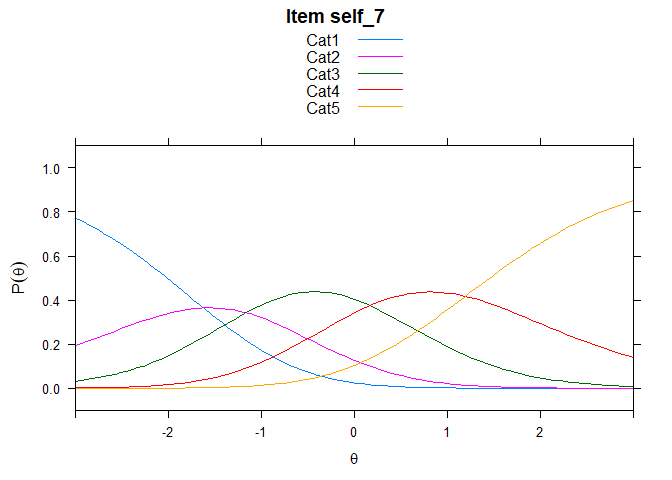
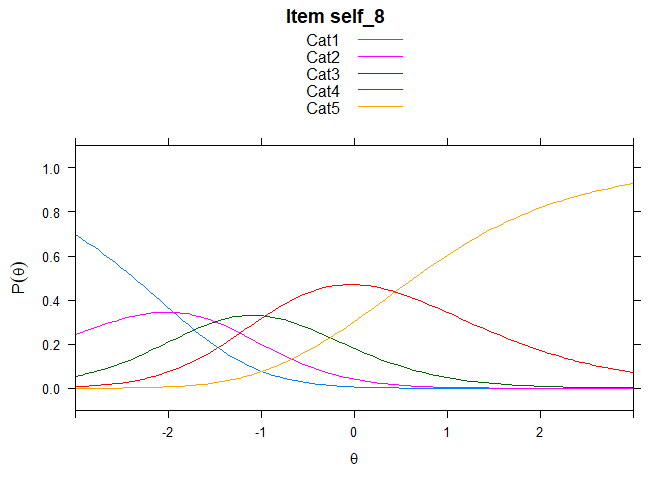
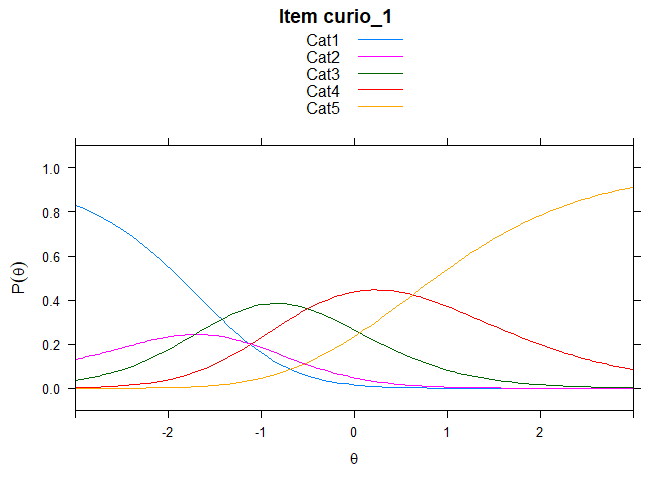
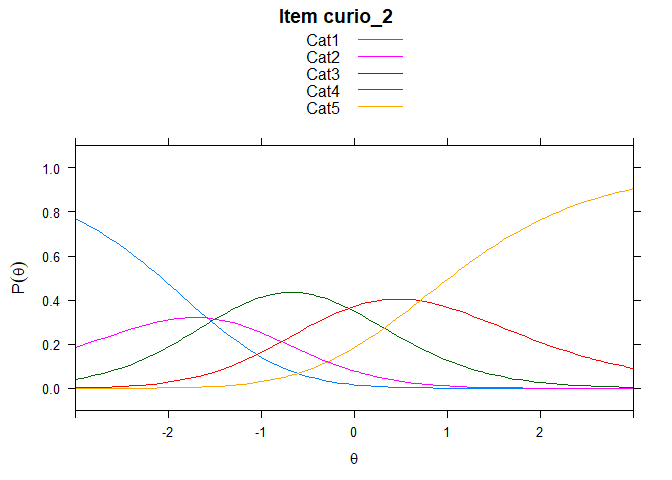
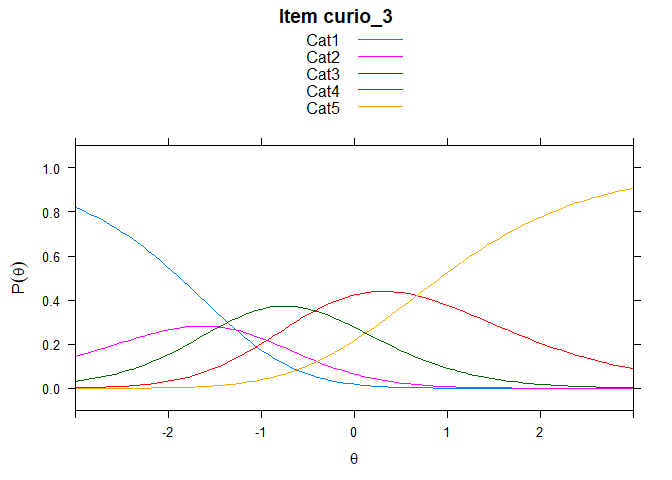
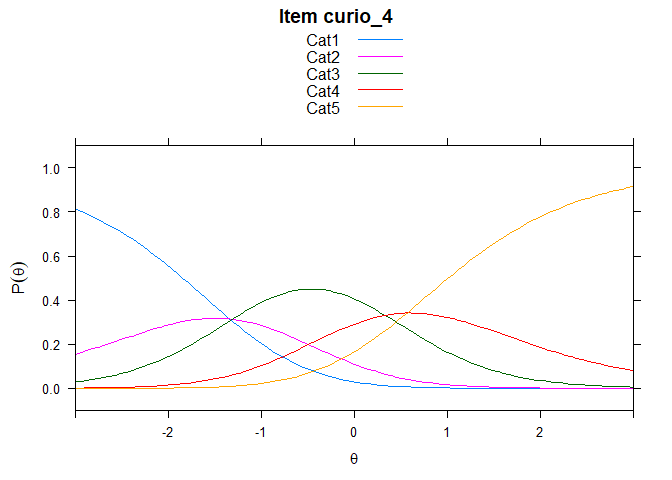
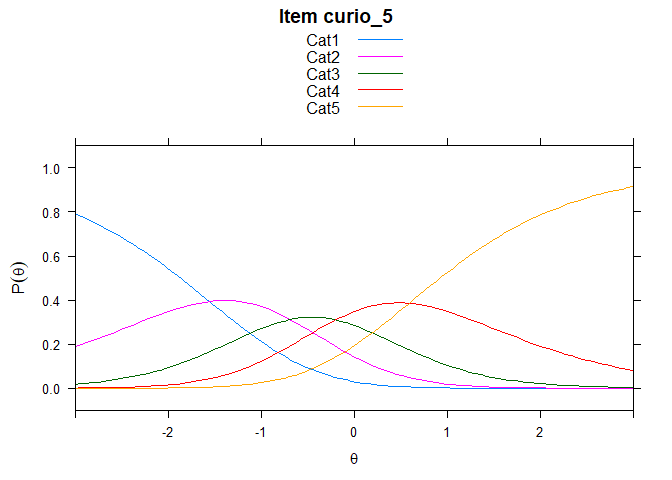
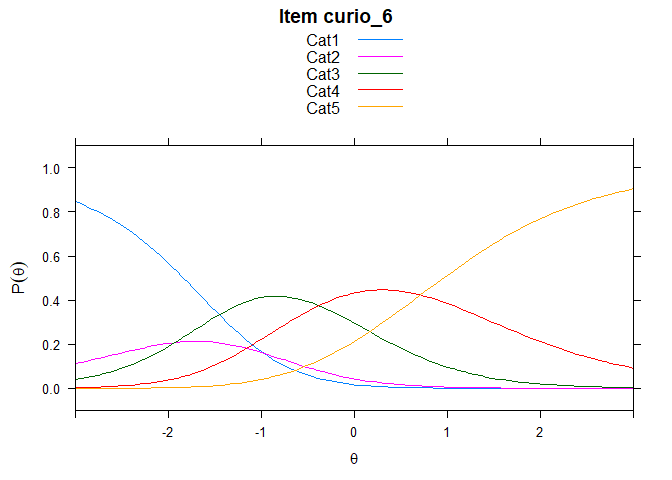
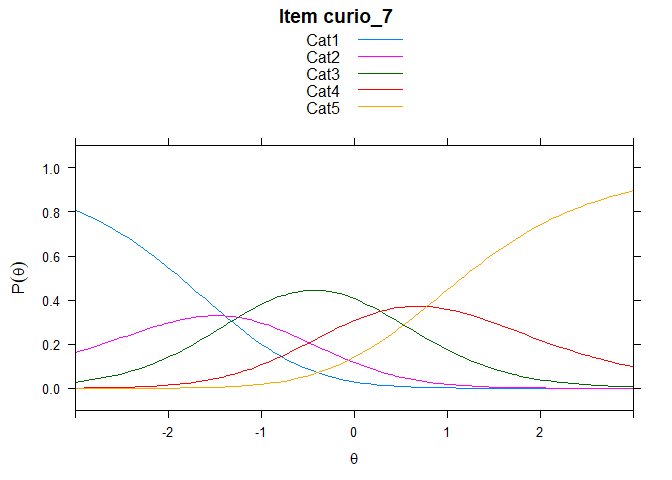
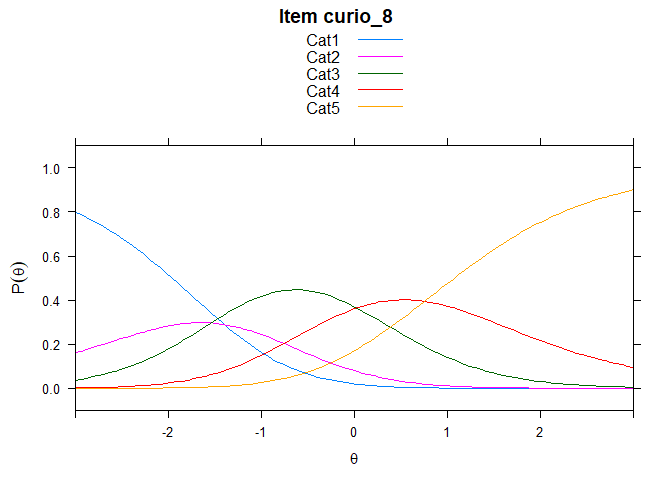
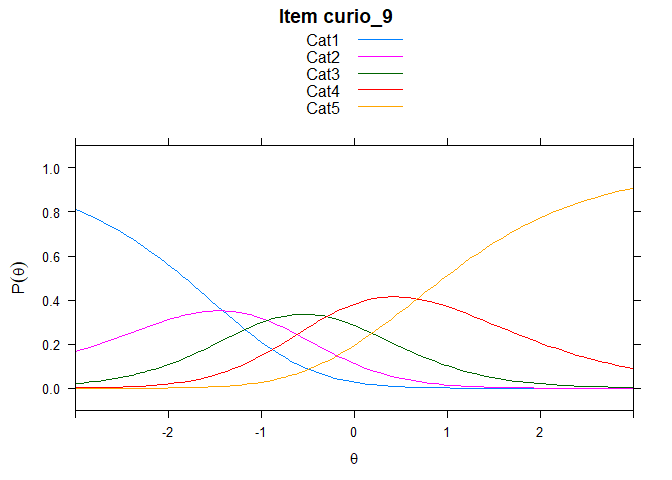
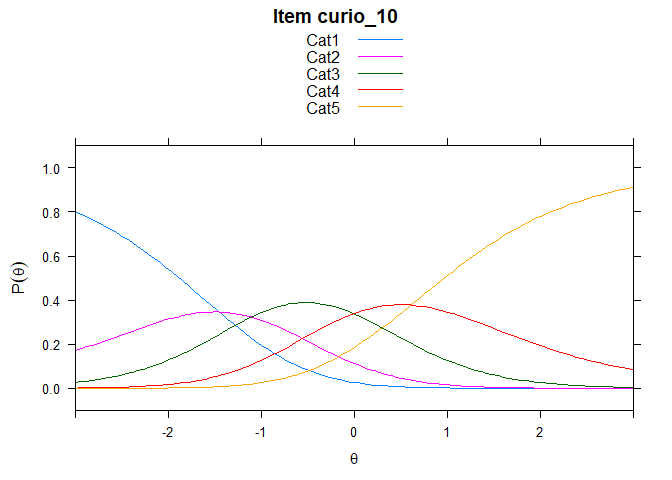
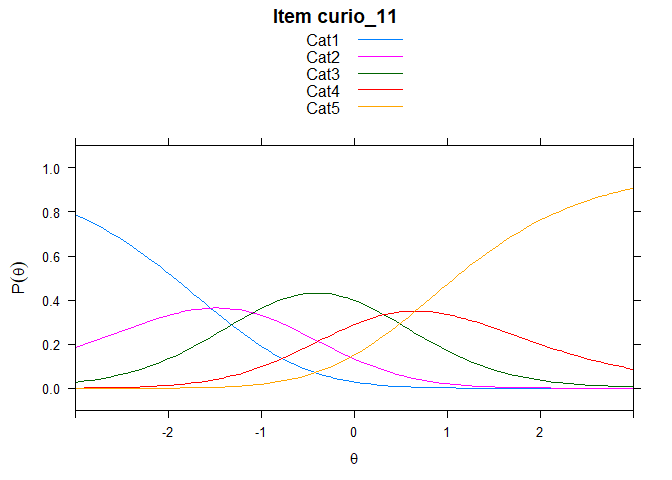
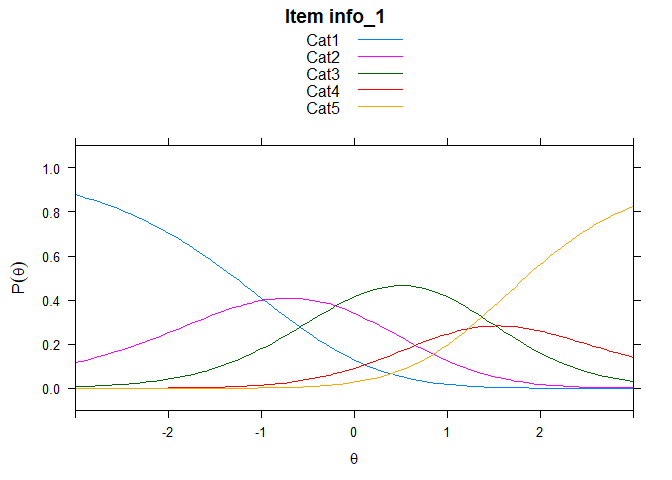
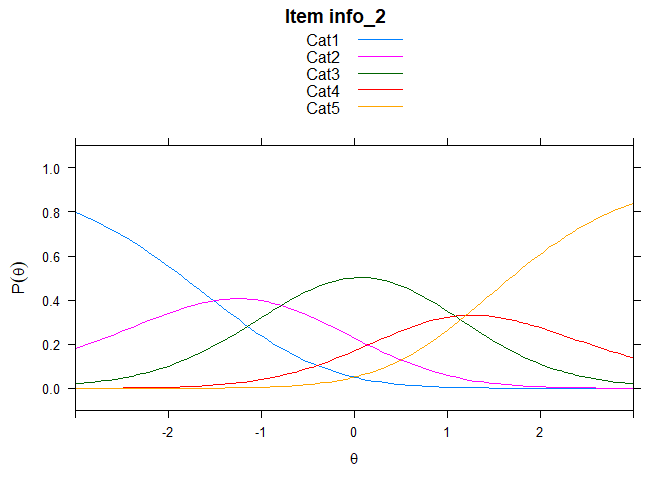
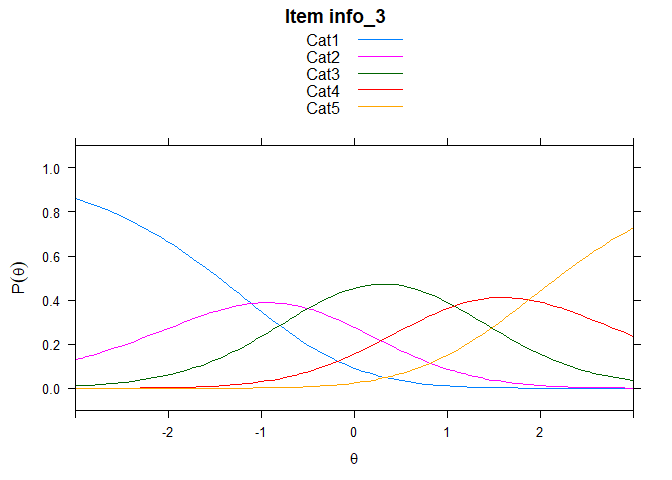
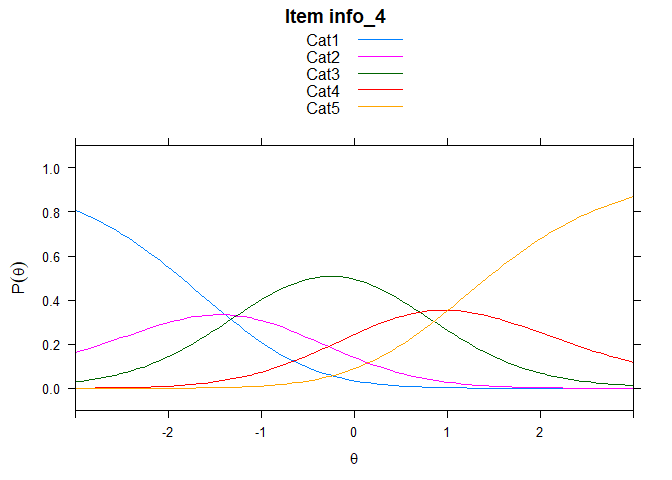
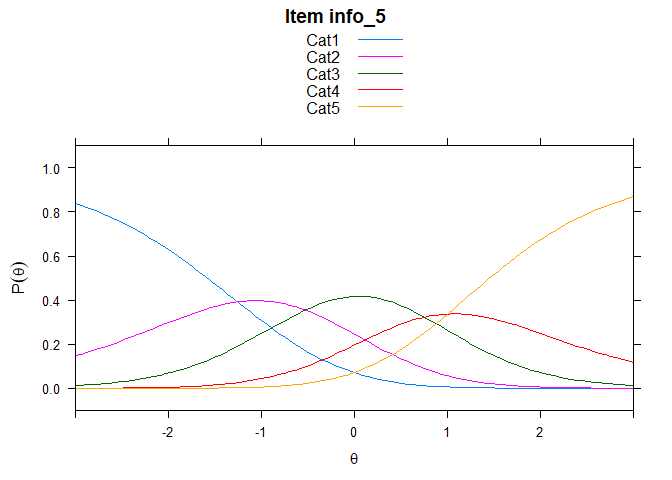
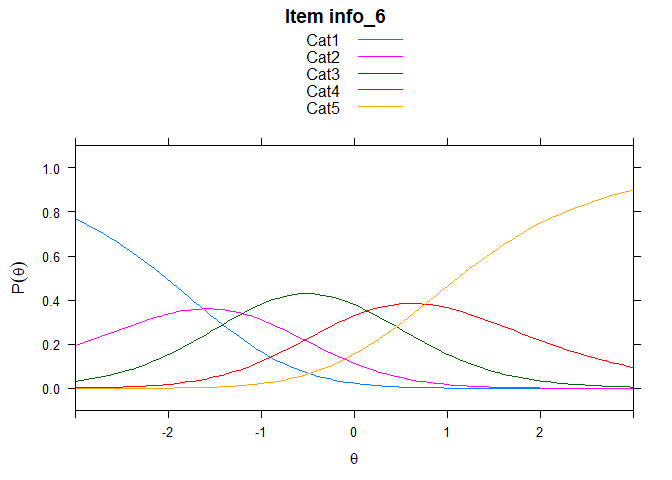
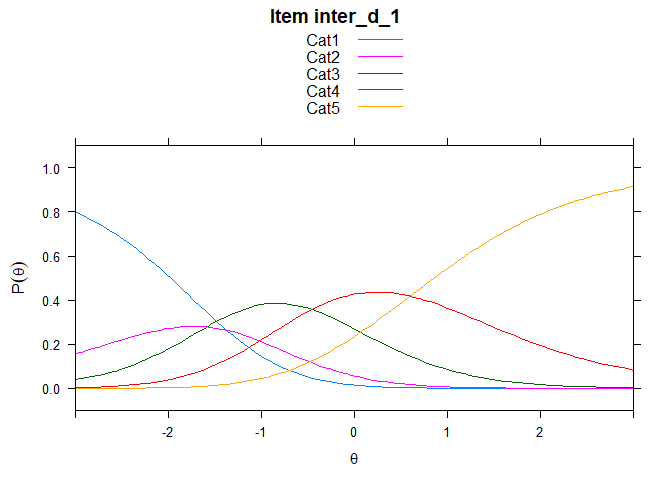
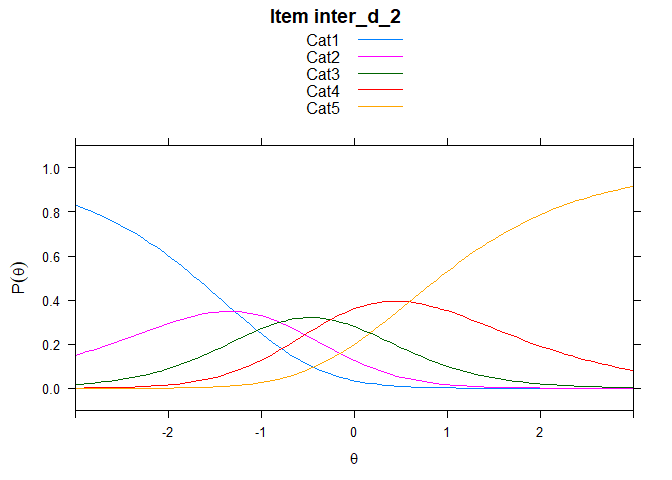
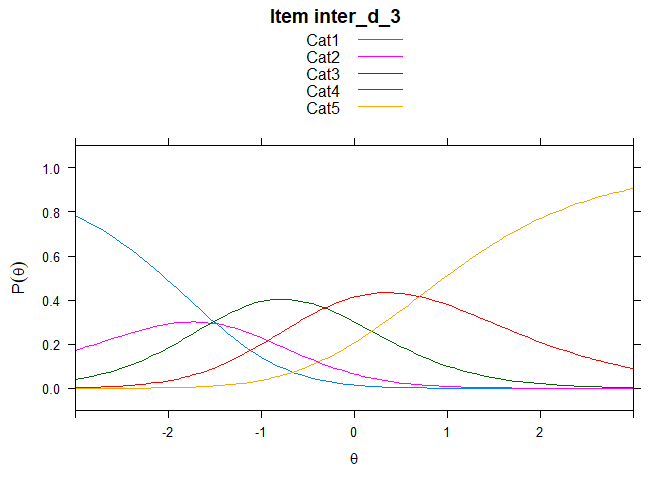
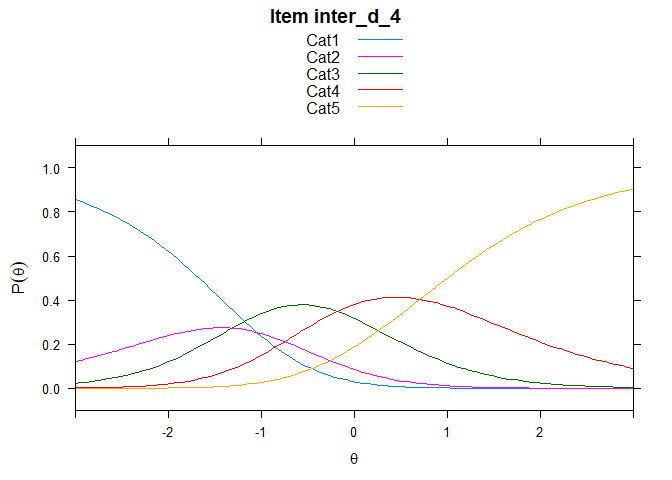
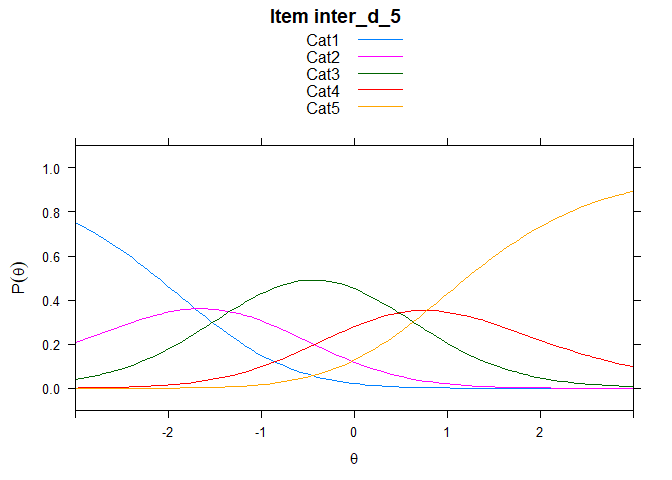
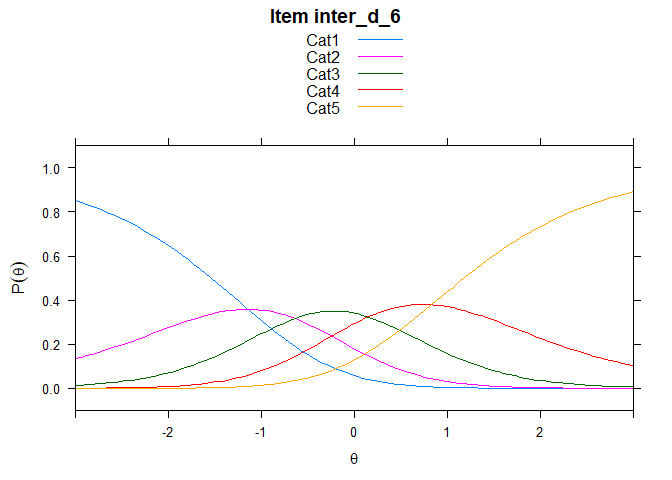
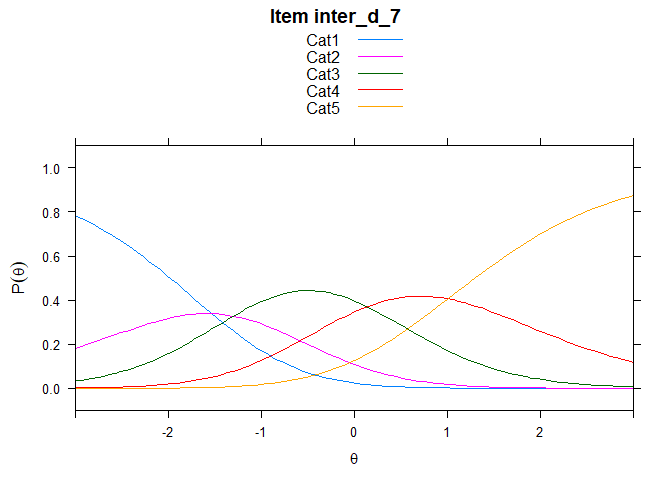
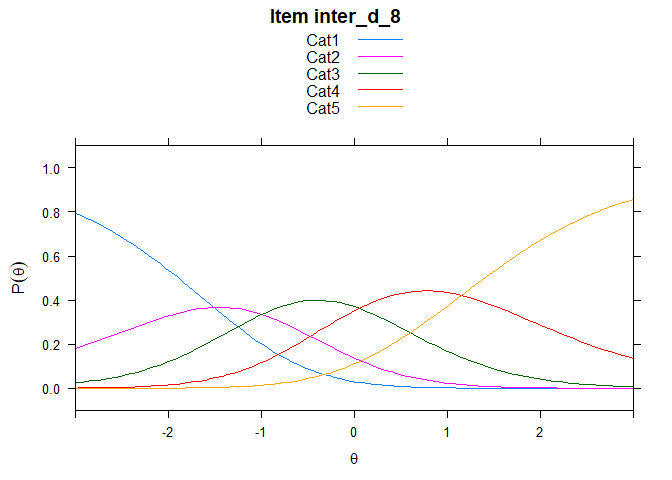
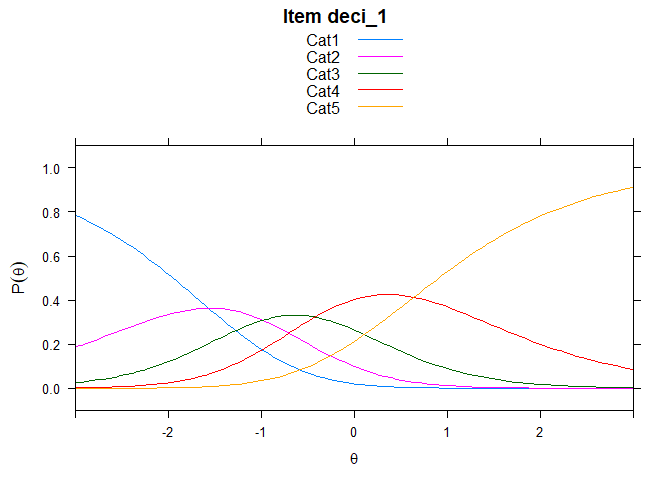
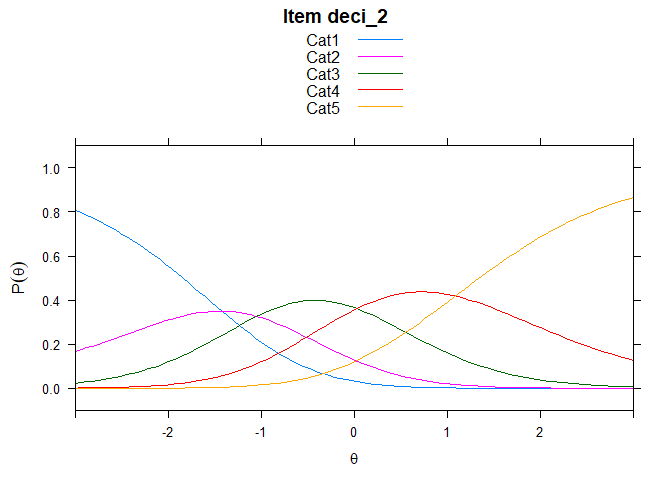
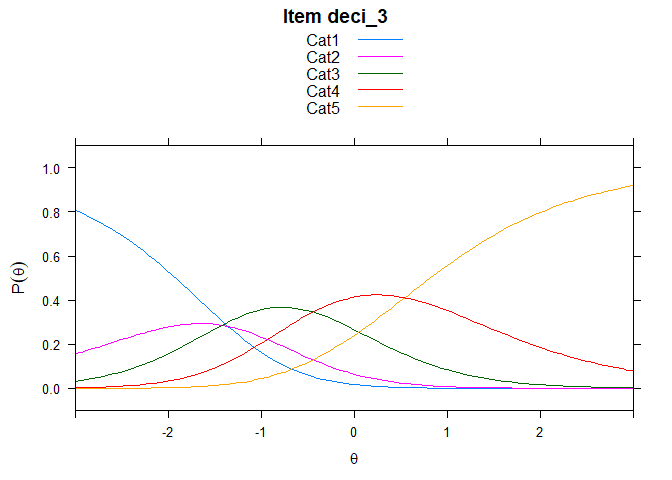
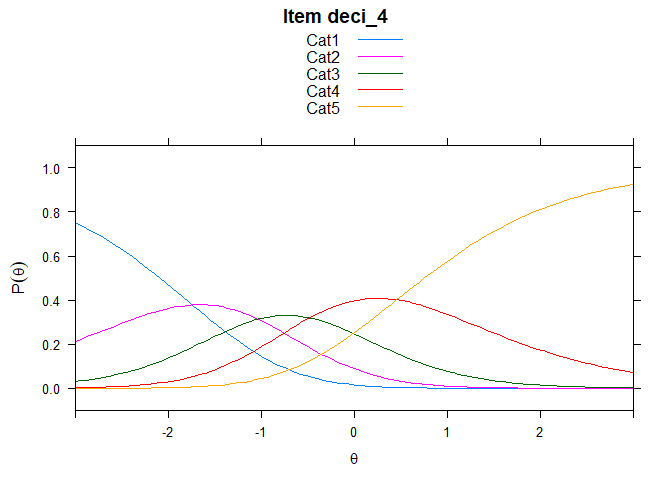
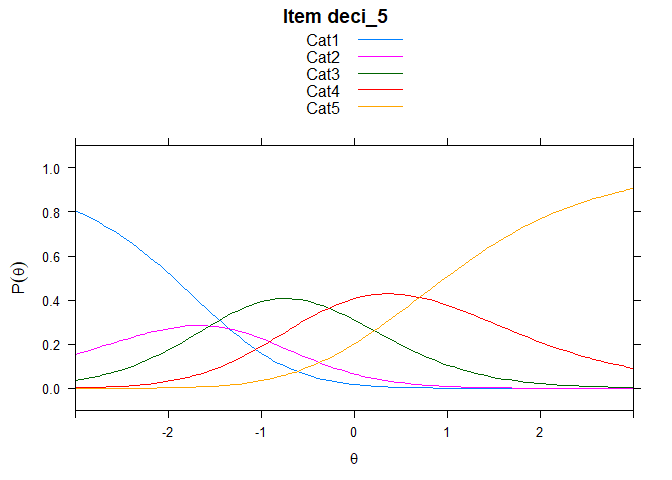
## ....................................................
##  Plots exported in png format into folder:
##  C:/Users/user/Documents/R/R_work/rasch/rasch_5scale/rasch_5scale/Plots
Note that the echo = FALSE parameter was added to the code chunk to
prevent printing of the R code that generated the plot.